The Nanny Project
USAF approached WSU with a task to build an autonomous robot that would sanitize and clean germs such as COVID-19 using UVC-lights in various buildings on base.
Nanny Project
Written in C++ using ROS Melodic on Ubuntu 18.04 2020-2021

I had a lot of fun and learned a whole bunch doing this project for the U.S. Air Force. This was my first real experience programming and developing a project within a team. I was dignified the Project Manager of this project and was tasked with building up the navigation package of the robot
Description
In the midst of COVID-19, McConnell Air Force base was almost entirely shutdown. Because McConnell is located in Wichita, we are one of the largest refueling centers for military aircraft carriers. Thus, they approached the WSU EE/CS department with a project that could not only help open up their base, but also be deployed all over the nation (and eventually world) in order to combat COVID-19.
However, this project didn't just fight COVID-19. Thanks to UVC lights, it disinfects all other viruses as well. This robot also kept store employees out of harms way by not exposing them. And once again, since the Nanny is a robot and not a person, the Nanny robot could be deployed in hospitals, grocery stores, and virtually any other environment given it has enough room to manuever.
Work
Transform Frames
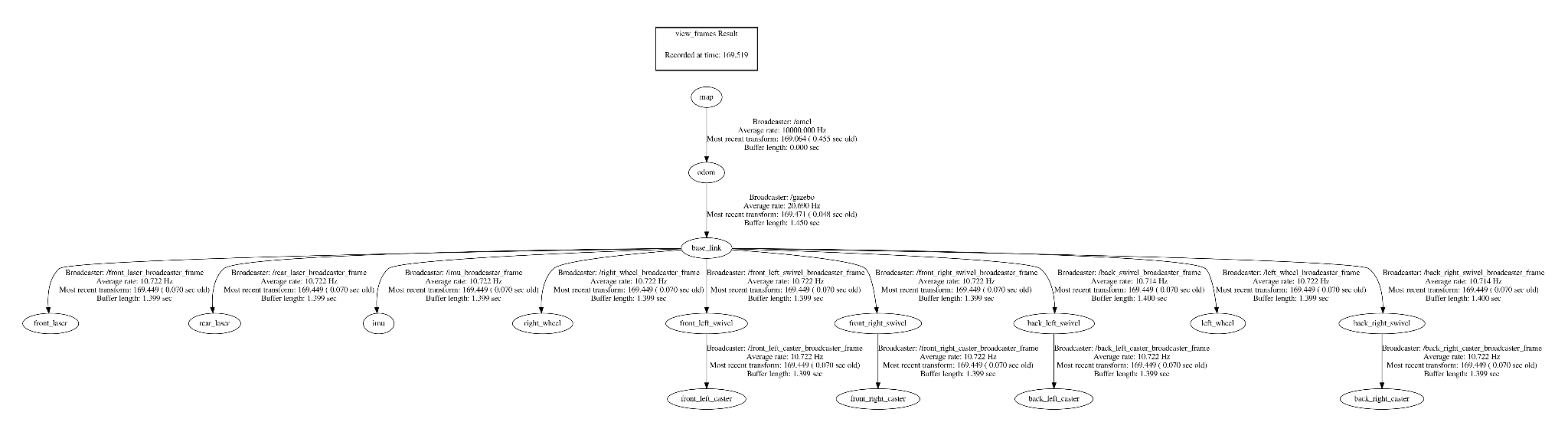
The first step to navigation was knowing where our robot was in the world; to do that we needed to use transform frames. Transform frames allow us to know where specific parts of our robot are relative to where they are in space to the center of our robot or what would be called our "base_link".
Each transform frame needed a broadcaster and a listener. Simply put, the broadcaster would "broadcast" the position of the transform frame and the listener would "listen" for a broadcasted position. This was then represented in our virtual environment, known as RVIZ or Gazebo.
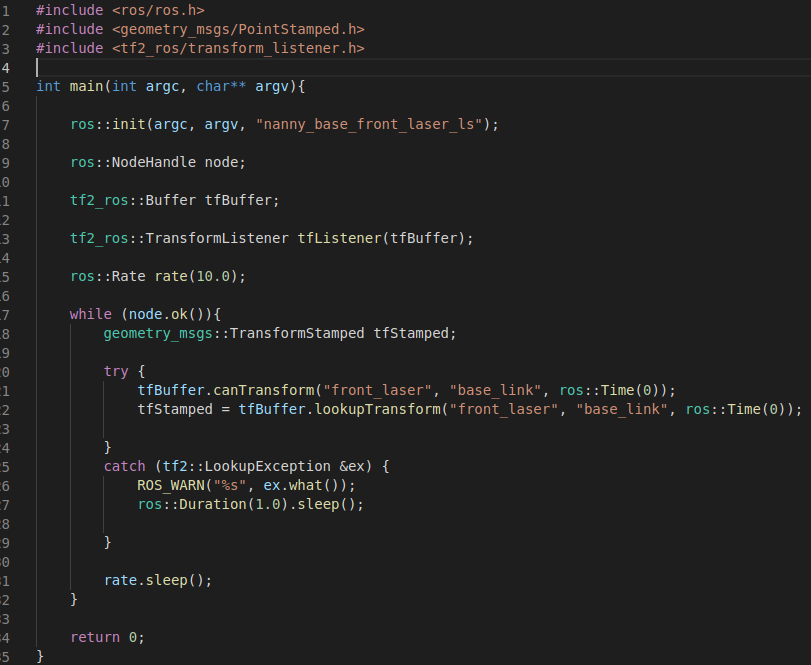
Transform frame listener

Transform frame broadcaster
SLAM GMAPPing
Now that we are able to know where our robot is in the real-world. We can truly begin our navigation package.
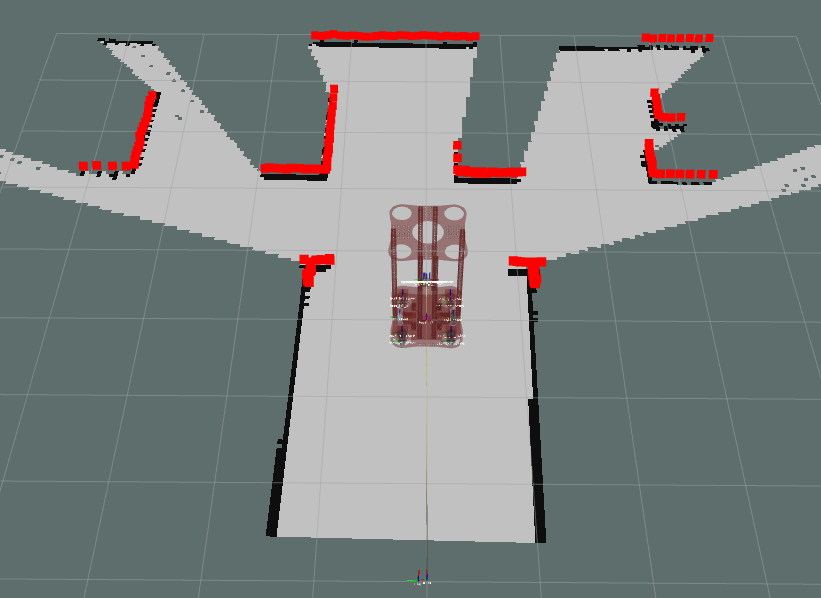
We start off by using our GMAPPing package. GMAPPing is a Simulation Localization and Mapping (SLAM) algorithm and uses the data we take in from our lasers, IMU, and depth cameras to build a 2D-occupancy grid. The 2D-occupancy grid it produces is top-down view of our environment that we are traveling in. It is necessary to use GMAPPing first because this is what we will use to build the map that our robot will use to later navigate to certain coordinates in the grid.
AMCL Localization
Once we have our map produced via GMAPPing, we're able to run AMCL.
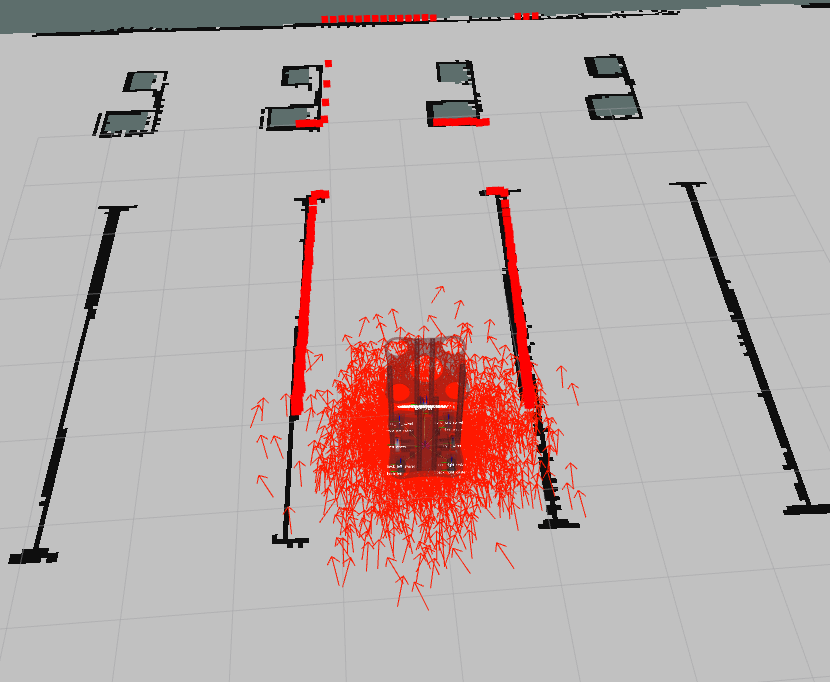
AMCL or "adaptive Monte-Carlo localization approach" is another algorithm that once again uses our laser data, IMUs, and depth cameras to determine where it is; however, this time we are not building a map, but instead "estimating" how far we have travelled from our given starting point. You can see the estimation process in the image to the right. Every arrow in the image is a "pose estimate" meaning based on the data transmitted by our sensors, the algorithm has estimated us to be at that position. But thanks to our multitude of sensors, these various positions are cross-checked with the other sensors until it finds a point that they all can agree on, resulting in our "true pose estimate"
Awards
These awards were voted on by members of the Electrical Engineering and Computer Science Department board and executives from companies in the surrounding area.

Awarded Boeing Company's "Best of Show"